How to Connect DeepSeek in 4 Simple Steps
Step 1: Go to the website chutes.ai and sign up.
Step 2: Click on this tab and select "Create API Key".

Step 3: Enter the model name deepseek-ai/DeepSeek-V3-0324 and copy the generated API key.
Step 4: Follow the instructions as shown in the image and paste your API key in the required field. Then, click "Check API Key/Model".
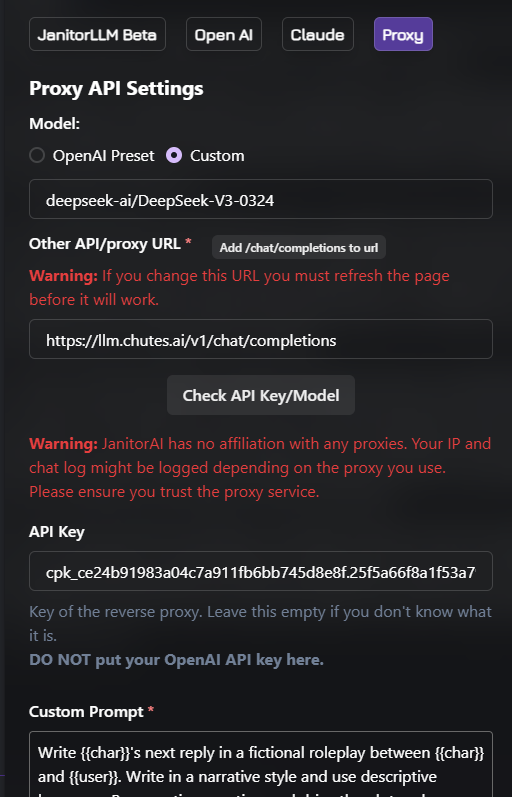
If successful, congratulations—you’re all set!
If red, double-check for any mistakes in the key or model name.
deepseek-ai/DeepSeek-V3-0324
https://llm.chutes.ai/v1/chat/completions
https://llm.chutes.ai/v1/chat/completions